
Chess - Play and Learn Online
Chess.comBoard
4.747.09K Reviews
- Version
- Varies With Device
- Installs
- 100.00M
- Age Rating
- Everyone
Screenshots
Play Brassdown


Our Review of Chess - Play and Learn Online
 Analysis by Appyee
I usually judge a chess app by what it helps me do after opening it: find a game quickly, learn from a mistake, or spend a few spare minutes thinking through a position. Chess - Play and Learn Online aims to cover all three. It is a free board game from Chess.com, and its mix of online play, lessons, puzzles, and analysis makes it more useful than a bare digital board. The 4.7 average from around 3 million ratings suggests it has found a broad audience, though popularity alone does not tell you whether its pace suits you.
Small goals make it easier to begin
Chess can feel like a huge subject when you are new: openings, tactics, endgames, and a long list of ways to blunder. I find it easier to start with a modest goal, such as finishing one lesson or solving a puzzle before a game. The app’s learning and puzzle options give a beginner a way to do that without making every session depend on winning against another person.
That distinction matters. A quick puzzle is a contained problem: I can look for a forcing move, test a candidate, and move on. A full game asks for sustained attention and can be discouraging if I am still learning basic patterns. Using puzzles and lessons as a warm-up is a practical way to build confidence before choosing a live opponent.
Progress is more than a win or loss
It is tempting to treat a rating or leaderboard position as the only sign of improvement. I would use those as context, not as a verdict on whether I am learning. A useful progress signal is whether I start noticing the same tactical ideas during my games that I have practiced in puzzles. Another is whether I can explain why a move was a mistake rather than simply feeling that the game went badly.
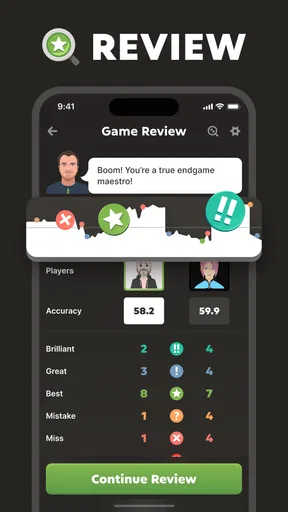
The analysis tools can help turn that reflection into a repeatable habit. After a game, I would pick one or two turning points and ask what I missed, rather than trying to understand every move at once. That keeps review manageable and gives the next lesson or puzzle a clear purpose. It is a more rewarding loop than chasing a leaderboard step with no idea what to improve.
The challenge depends on how you use it
There is a useful contrast between playing a quick game and studying at your own pace. Live chess gives me the pressure of making decisions against another person; lessons and puzzles let me pause and think. If a losing streak is making the game feel like a test, switching to a puzzle or a lesson can preserve the habit without pretending that every session needs to be competitive.
That flexibility is also a trade-off. The breadth of options can make it easy to bounce between modes without sticking with a learning plan. I would choose one small focus for a week, such as checking for hanging pieces before moving or reviewing a game after playing, instead of trying to master every part of chess at once. The app can support that routine, but it cannot decide which weakness deserves your attention.
Enjoyable, but not equally suited to every player
Its large online audience is a real advantage if I want a game with another person, and the lessons and puzzles make it appealing to someone who wants more than a place to move pieces. At the same time, players who want a quiet, distraction-free board for occasional offline play may prefer a simpler chess app. A community and competitive layer can be motivating, but it can also feel like extra noise if all you want is a calm game.
I would also be cautious about judging my ability by one session. A quick match can be affected by time pressure, a lapse in concentration, or an opponent whose style surprises me. For learning, I get more value from a steady mix of games and review than from treating each result as proof that I have either improved or failed.
For a realistic routine, imagine having a short break between errands. I could solve a puzzle while I have a few minutes, then save a longer game and its review for a quieter evening. That split uses the app’s different activities for what they are good at: brief tactical practice when time is limited, and more deliberate thinking when I can concentrate. If I know I am likely to be interrupted, a puzzle is the safer choice than starting a live game I cannot finish comfortably.
In the board-game category, the usual alternatives are a basic chessboard app, a computer opponent, or a dedicated training tool. A basic board is simpler and may suit someone who already has a study routine. A training-focused option may feel more direct if lessons are the only priority. This game’s strength is bringing online opponents and learning activities together; the trade-off is a busier experience and more reasons to choose how to spend a session.
It is free to start, but the app also offers in-app purchases, with listed item prices ranging from $1 to $119.99. I would approach any purchase as optional rather than necessary: first see whether the free play and learning options fit your routine, then decide whether the extra access is worth it to you. The game is rated Everyone, and it runs on Android 8.0 or later. Its current Android version is 4.9.21-googleplay, so those details are useful to check against your device before installing.
One helpful habit is to keep a simple note outside the game after a match: the position where you felt uncertain and the question you should ask next time. That gives analysis a specific job instead of turning it into a move-by-move autopsy. Another is to alternate competitive play with study, rather than using a losing streak as a reason to queue up repeatedly. The app’s variety supports both choices, but the user has to set the boundary.
Chess.com’s game has been available since February 1, 2010, and its scale is evident in the more than 100 million installs. That reach makes finding opponents an obvious draw, while the 43,000 reviews offer a broader indication of how many people have taken time to comment. Neither number guarantees a perfect fit: what matters is whether you enjoy learning in an environment that combines solitary practice with online competition.
There is no need to commit to a rigid schedule to get value from it. A beginner can focus on recognizing basic threats; a returning player can use puzzles to get their pattern recognition moving again; and a more experienced player can make game review the main event. If you mainly want a minimalist board, or if competitive results make chess less enjoyable for you, a simpler alternative may be a better match. For players who want practice, play, and ways to reflect in one place, the combination is compelling.
Okay, chess lovers, gather around! I’ve just spent the last week diving deep into the world of Chess - Play and Learn Online, and I have to say, it’s been quite the experience. Whether you’re a grandmaster in the making or just someone who likes to dabble in a game of chess every now and then, this app has something for everyone. Let’s break it down, shall we?
First Impressions and Setup
When I first downloaded Chess - Play and Learn Online, I was immediately struck by how sleek and user-friendly the interface is. No confusing menus or overwhelming options here. Setting up was a breeze. You can either create a new account or simply log in with a social media profile. It took me less than two minutes to get started, and trust me, I’ve had apps where setup feels like a chess match in itself.
Features That Stand Out
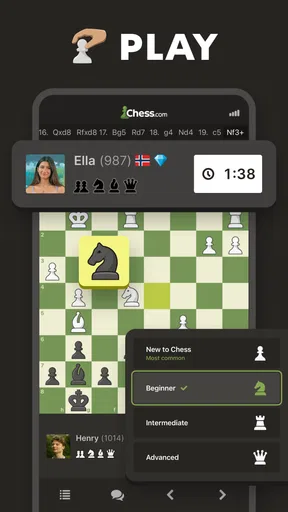
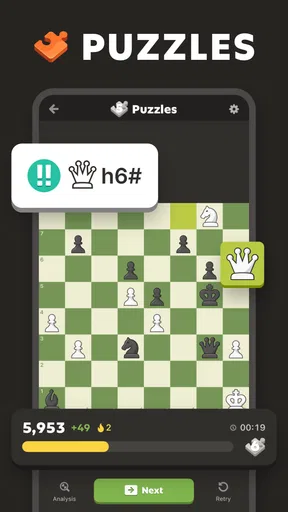
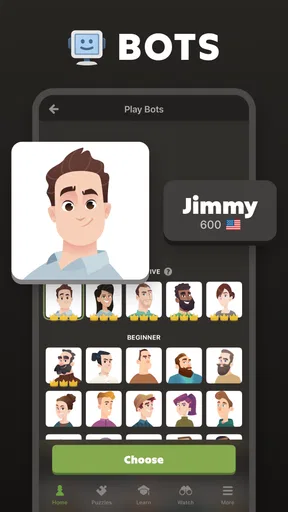
One of the coolest things about this app is the variety of game modes available. You can play against the computer, which has multiple difficulty levels, or you can jump into a live game against other players around the globe. I particularly enjoyed the puzzle mode, which is a great way to sharpen your skills without the pressure of a full game.
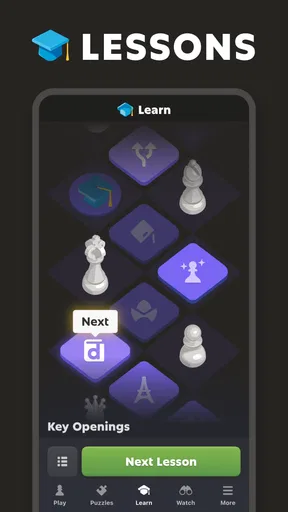
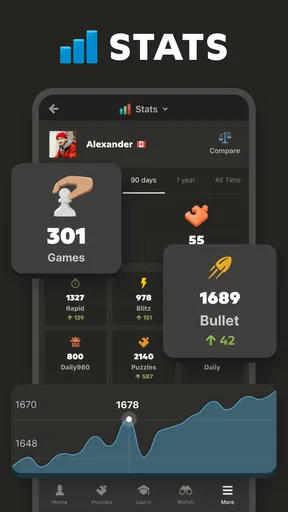
The app also offers a plethora of learning resources. There are lessons available for all skill levels, complete with interactive tutorials and videos. I found the lessons to be extremely informative without being too overwhelming. Plus, the app tracks your progress, so you can see how much you’ve improved over time.
Community and Interaction
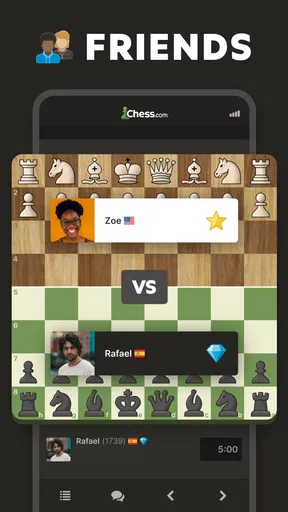
Another aspect I loved was the community feel. You can join clubs and participate in tournaments. The chat feature allows you to connect with fellow chess enthusiasts, and I found myself making a few friends along the way. It’s like having a chess club in your pocket!
The leaderboard is also a neat feature. It adds a competitive edge to the experience, motivating you to climb up the ranks. I found myself often just one game away from leveling up, which kept me hooked for "just one more match."
Performance and Reliability
Now, I’ve had a few bad experiences with apps lagging at crucial moments, but I’m happy to report that Chess - Play and Learn Online runs like a dream. The graphics are crisp, and the animations are smooth. I didn’t experience any crashes or major bugs, which is a huge win in my book.
Connectivity is key, especially when you’re playing live matches, and this app delivers. I played several games on both Wi-Fi and mobile data with no noticeable lag. It’s a seamless experience, whether you’re on the go or lounging at home.
What Could Be Better?
While I thoroughly enjoyed my time with the app, there are a couple of areas where it could improve. The ads, though not overly intrusive, do pop up more frequently than I’d like. There is a premium version available that removes ads and unlocks additional features, but for those sticking to the free version, it might be a minor annoyance.
Additionally, while the app is rich in features, some of the more advanced lessons and puzzles are locked behind the paywall. It’s understandable, but if you’re on a budget, it may limit your learning experience a bit.
Final Thoughts
Overall, Chess - Play and Learn Online is a fantastic app for anyone looking to engage with chess on a deeper level. Whether you’re a beginner or a seasoned player, there’s something here for everyone. The combination of gameplay, learning resources, and community interaction makes it a standout choice.
If you’re ready to embark on your chess journey or level up your game, I’d recommend giving this app a shot. It’s like having a chess mentor and community right at your fingertips. Happy playing, and may your knights always find the perfect fork!
Privacy and Permissions
See what permissions an app requests and how it handles your data.
- Contacts
- read your contacts
- Location
- approximate location (network-based), precise location (GPS and network-based)
- Photos/Media/Files
- read the contents of your USB storage, modify or delete the contents of your USB storage
- Storage
- read the contents of your USB storage, modify or delete the contents of your USB storage
- Wi-Fi connection information
- view Wi-Fi connections
- Other
- view network connections, pair with Bluetooth devices, access Bluetooth settings, full network access, run at startup, control vibration, prevent device from sleeping
Verdict
Strengths of Chess - Play and Learn Online
- User-friendly interface for all skill levels.
- Comprehensive tutorials for beginners.
- Daily puzzles to sharpen skills.
- Global leaderboards for competitive play.
- Offline mode available for practice.
Limitations of Chess - Play and Learn Online
- In-app ads can be disruptive.
- Some features require premium subscription.
- Occasional connectivity issues.
- Limited customization options.
- Notifications can be overwhelming.
Other Releases by Chess.com
View All
Learn Chess with Dr. Wolf
Board4.6

Chess for Kids - Play & Learn
Board4.6
Similar Picks in This Category
View All
Ludo King®
Gametion4.1

Ludo
Yarsa Games4.6

Tile Master® - Matching Game
Higgs Studio3.6

Checkers Online
CC Games4.6

Dominoes
Loop Games4.7

Chess
Chess Prince4.6
Frequently Asked Questions
What features does Chess - Play and Learn Online offer to users?
Chess - Play and Learn Online provides a comprehensive suite of features, including interactive lessons from grandmasters, puzzles to improve strategy, and a global multiplayer mode. Users can track their progress, participate in tournaments, and even analyze past games to refine their skills. The app is designed for all skill levels, from beginners to advanced players.
Is Chess - Play and Learn Online suitable for beginners?
Yes, the app is highly suitable for beginners. It offers step-by-step tutorials, lessons, and practice puzzles specifically designed to help new players understand the basics of chess. The learning path is structured to gradually increase in complexity, ensuring a smooth transition from novice to skilled player.
Are there any costs associated with using Chess - Play and Learn Online?
Chess - Play and Learn Online is free to download and offers many features at no cost. However, there is a premium subscription available that unlocks additional features such as advanced lessons, detailed game analysis, and an ad-free experience. Users can decide if the extra features are worth the investment.
Can I play Chess - Play and Learn Online offline?
While the app primarily focuses on online gameplay and learning, it does offer certain features offline. You can access downloaded lessons and puzzles without an internet connection. However, to participate in multiplayer games or tournaments, an internet connection is required.
How does Chess - Play and Learn Online ensure a fair gaming experience?
The app employs a robust anti-cheating system to maintain fair play. It uses sophisticated algorithms to detect unusual patterns that might indicate cheating. Additionally, users can report suspicious activities, which are then reviewed by the support team to ensure a level playing field for all participants.
Play our best games!


